One system runs the whole love story.
Inquiry to premiere to the anniversary re-watch. Everything on this page is live in the software today — shown from both sides of the screen.
Not a demo reel — every screen here is the real software.
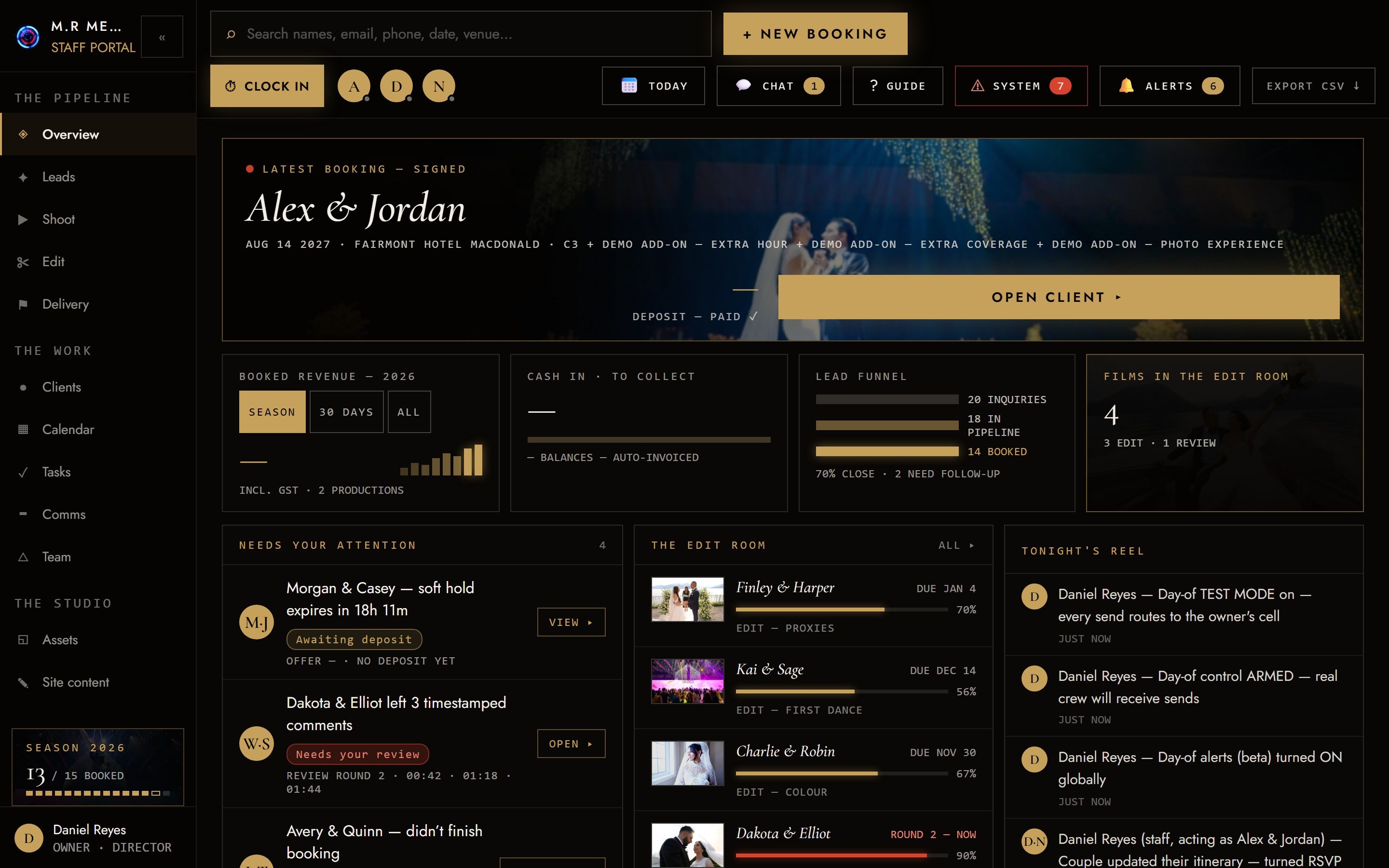
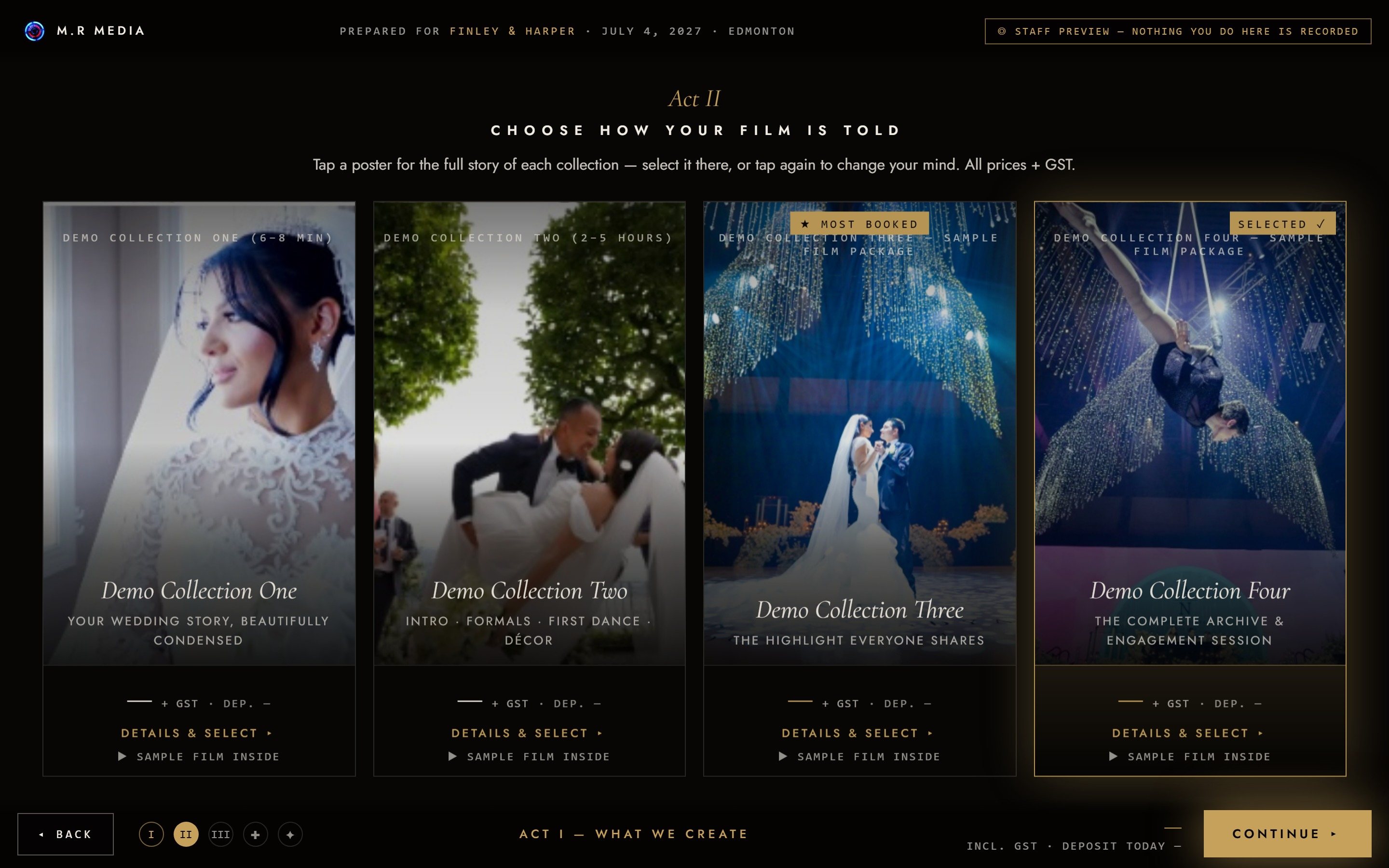
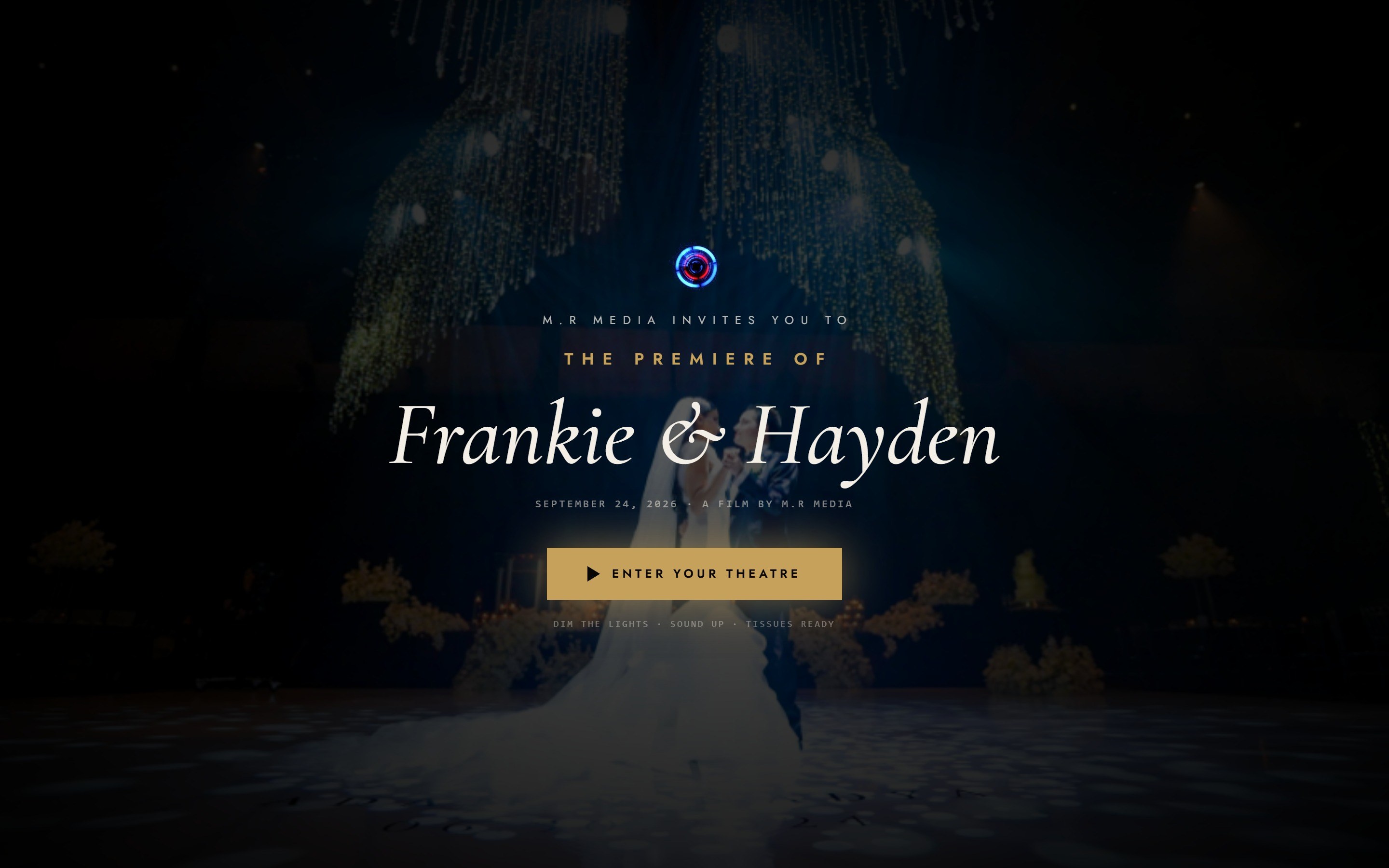
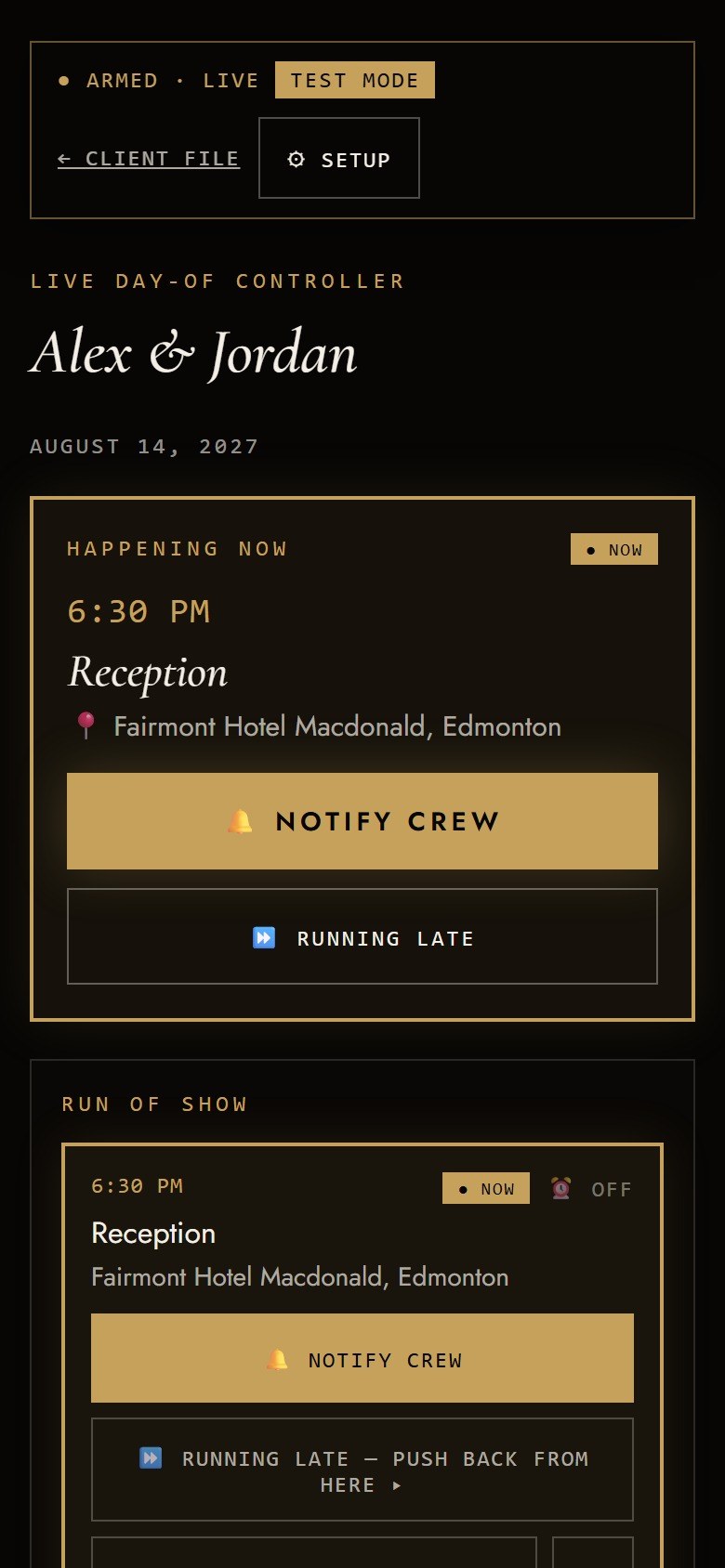
The first tap · The brochure that closes itself · The day, run live · The premiere
The website closes the sale before the couple ever talks to a human.
The couple clicks the link → picks their collection → signs & pays the deposit — all automated, all inside one cinematic page.
Lead Pipeline BoardEvery lead staged and worked — search, filters, one tap into the file.
Promos That SellGive one couple a discount and their brochure shows the old price crossed out next to the new one, with a gold discount tag and a running “you save” total.
Show this liveFill an inquiry and land — in under two seconds — inside a brochure with the couple's names already on screen.
One phone screen runs the whole wedding day.
- 4:00 PMGetting ReadyThe Grand Hotel, Suite 4Crew — Daniel
- 5:00 PMFirst LookRiverside GardensCrew — Noah
- 5:30 PMCeremonyRiverside Gardens — Main LawnCrew — Daniel + Noah
- 6:30 PM● NOWReceptionThe Grand Hotel, BallroomCrew — Daniel
- 7:15 PMToastsThe Grand Hotel, BallroomCrew — Noah
- 8:00 PMFirst DanceThe Grand Hotel, BallroomCrew — Daniel
- 9:00 PMOpen FloorThe Grand Hotel, BallroomCrew — Daniel + Noah
Not a mockup — this is the real send, word for word.
Every studio-wide texting tool sends one blast to everyone. This is one wedding, one moment, three different messages — because a lead shooter, a second shooter, and the couple each need to know something different.
Every line above is editable copy in Settings — nothing here is hard-coded. WHO receives any of it is a switch you own: crew get logistics by default, the couple and guests stay opt-in until you turn them on.
Itinerary ImportPaste a planner's itinerary in any format, preview flagged, then append or replace.
| Stop | Daniel | Aiden | Noah |
|---|---|---|---|
| Ceremony | |||
| Reception | |||
| Toasts | |||
| First Dance |
Quick-Assign MatrixTap-to-toggle grid decides who gets notified per stop — two taps, nobody forgotten.
Show this liveMid-shoot, tap “RUNNING LATE — PUSH BACK FROM HERE” and watch every remaining stop shift at once.
Feedback becomes a mark on the shot itself.
- Can we hold this shot a beat longer? — A
- DrawnCircle where the light hits — love this — A
- This is my favorite moment of the whole day — J
Show this livePause a cut, draw an arrow on the shot — it pins to that timestamp, then the couple's page carries it into the curtain reveal.
That's the studio's side. Now the part your couples fall in love with.
One branded home base a couple lives in, from booking to their anniversary.
Couple-Owned RSVPOne switch on their own page — off by default, responses always kept.
Show this liveFlip the RSVP toggle on a phone and watch the wedding page grow a live RSVP form with its own QR code.
Their own page — big enough to actually send.
Their RSVP — collected for them, not chased on a phone.
One switch turns it on; every response lands in the portal, nothing chased by text.Every stop, a live map pin.
Ceremony, reception, every stop in between — a real map, not an address in a paragraph.In the couple's own words“Like a wedding planner in your pocket — and it doesn't replace your wedding planner; it gives them a tool to help manage your wedding as well.”
Every guest who opens the wedding page, every parent who watches from the premiere link, sees who made the film.
Every dollar numbered — invisible to anyone who shouldn't see it.
Same client file, same login type — one switch decides what shows.
Show this liveToggle a staff account's money permission off and show the same client file with every price gone and nothing broken.
Runs the crew — no paper timesheets, no sticky notes.
Show this liveClock in from a phone — then open a teammate's login and show their pay ledger simply isn't there. Not hidden. Blocked.
The studio's memory — nothing forgotten, nothing double-sent.
- Welcome EmailSent the moment they sign & pay the deposit.
- Questionnaire NudgeA reminder text if it's still unanswered.nudge after2days
- Balance Auto-InvoiceInvoices the balance automatically, 14 days before the wedding.
- Review AskA gentle ask for a review once their film is delivered.
- Anniversary Re-WatchOne year later, an unprompted link back to their film.
18+ AutomationsOnboarding, nudges, reminders, review asks, the anniversary re-watch — all editable with live preview and send-test-to-me.
Show this liveHit “send test to me” in Settings → Automations and watch the couple's exact email land in your inbox seconds later.
Built once, rebuildable for any studio — a real product, not a one-off build.
Show this liveChange the business name and logo once — the site, a brochure, an invoice PDF, and an email all rebrand instantly.
Nothing on this page is a mockup — every shot is the real software.
Site Content Editor
Films, crew, experience copy — every word on the site, no developer needed.Questionnaire, Staff Side
Answers that feed the shoot brief and itinerary automatically — nothing re-typed.Quiet / Legacy Import
Back-fill an old couple with every automated send silenced.One story, five screens, zero re-typing.
Follow one couple from the first click to the curtain call — every screen below is the same booking, the same data, the whole way through.
A referral assistant that works while you sleep.
When a couple taps interested on a partner in their brochure, the studio can auto-send their info to that vendor the moment booking is confirmed — no forwarded email, no forgotten favour. Every referral tracked, every partner's numbers in one dashboard.
Built inside a working wedding-film studio — not a software company guessing at one.
Every feature exists because a real season demanded it: the late-night itinerary change, the shooter who forgot to clock out, the out-of-town guest who needed the premiere link resent. It ran this studio's season first — and is still running it.
The page is wired to the same source as the software.
Every shipped feature lands in the platform's feature log and in-app guides in the same change that ships the code. This page is generated from that log and refreshed on the same link. Next: a Showcase inside the staff app itself — these same cards with NEW badges and a tap-through to each real screen.
Because every claim traces to the log, this same content becomes the public features page when the platform is offered to other studios — written once, sold twice.